Damaged Package or Missing Item? What to Do (Photos, Tracking, Support Steps)
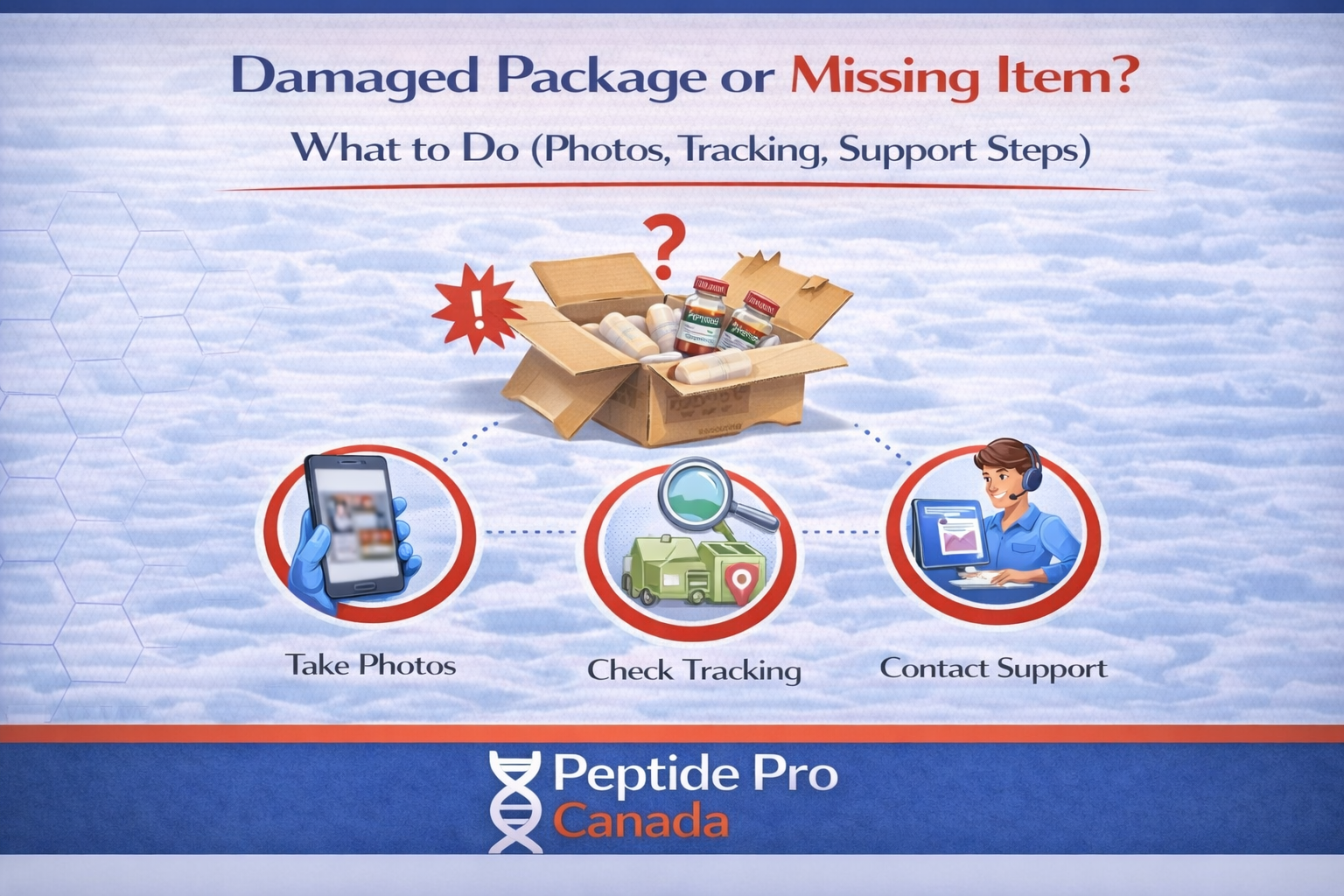
Damaged package or missing item? Keep the original packaging, take clear photographs, review the carrier’s tracking information, and contact support promptly. Providing complete information in your first message helps the issue get reviewed efficiently.
This guide explains the four essential steps to follow when an order arrives damaged, appears incomplete, or cannot be located after tracking shows delivery.
Damaged Package or Missing Item: Quick Answer
- Take clear photographs before opening the shipment further or discarding anything.
- Keep the shipping box, mailer, labels, and all packing materials.
- Provide your order number, tracking number, photographs, and a clear description of the issue.
- Review the carrier’s complete tracking history for delivery details, exceptions, or attempted-delivery notices.
Step 1: Keep All Packaging
Do not discard or alter the packaging until the issue has been reviewed. The condition of the packaging can help support and the carrier determine what may have happened during transportation.
Keep the following materials:
- The outer shipping box or mailer
- All internal packing materials
- The shipping label and waybill area
- Every item received in the shipment
- Any damaged containers, seals, or product packaging
- Any delivery notice left by the carrier
The carrier or support team may require these materials when reviewing a damaged package or missing item report.
Step 2: Take Clear Photographs
Photograph the shipment as it was received. Take the pictures in a well-lit area and make sure all relevant details are readable.
Your photographs should include:
- Every side of the outer package
- A readable close-up of the shipping label
- The package immediately after opening
- All internal packing materials
- Every received item arranged together
- Close-up and wider photographs of visible damage
- Any areas that appear opened, torn, crushed, punctured, wet, or re-taped
If an item appears to be missing, place everything you received on a clean surface and take one photograph showing the complete contents of the shipment.
Clear photographs reduce the need for additional messages and may be required when submitting information to the shipping carrier.
Step 3: Review the Tracking Status
Open the carrier’s tracking page and review the complete history—not only the latest status. Note the latest tracking message, delivery date and time, and any delivery location details.
Common tracking messages include:
- Delivered: Check the mailbox, entrance, garage, concierge, mailroom, parcel locker, and other possible safe-drop locations.
- Delivery attempted: The carrier may require pickup, identification, or another delivery attempt.
- Address correction: The shipment may have been redirected or placed on hold because of an address problem.
- Exception or delay: Weather, routing problems, access issues, or carrier backlogs may have affected delivery.
- Available for pickup: Follow the carrier’s instructions and bring any required identification or delivery notice.
For Canada Post shipments, you can review the latest scan through the official Canada Post tracking service. For another carrier, use the tracking link supplied with your order.
Step 4: Identify and Report the Issue
Package Marked Delivered but Not Located
- Check all entrances, mailboxes, parcel lockers, safe-drop areas, and building delivery locations.
- Ask household members, neighbours, building staff, concierge personnel, or reception whether they accepted or moved the shipment.
- Review the carrier’s tracking page for delivery notes or photographs.
- Confirm that the city and postal code shown in tracking are correct.
- If the shipment is still missing, contact support with your order number, tracking number, and delivery address.
Package Arrived Damaged
- Photograph the outer package before discarding, cleaning, or altering it.
- Take close-up and wider photographs of every damaged area.
- Photograph the internal packaging and all received items.
- Keep the complete shipment and packaging until the review is finished.
- Contact support with your order number, tracking number, description, and photographs.
An Item Appears to Be Missing
- Check inside all packing materials and packaging folds carefully.
- Compare the received items with your order confirmation.
- Arrange everything received on a clean surface and take one clear photograph.
- Photograph the outer package, internal packaging, and shipping label.
- Provide the exact name and quantity of every item believed to be missing.
What to Send Support
For the fastest review of a damaged package or missing item, provide all applicable information in your first message:
- Order number
- Tracking number
- Full shipping address entered at checkout
- Issue type: damaged, missing item, or delivered but not located
- A brief and consistent description of what happened
- The latest carrier tracking message
- Photographs of the outer package and shipping label
- Photographs of the internal packaging and all received items
- Close-up photographs of any visible damage
Do not send passwords, payment credentials, government identification numbers, or unrelated private information.
What Happens After the Issue Is Reported?
- Support reviews the order details, address, tracking history, and supplied photographs.
- Additional information may be requested if something is missing or unclear.
- A carrier investigation or claim may be opened when appropriate.
- You may be asked to retain the shipment and packaging while the investigation is underway.
- The available resolution is determined according to the circumstances and applicable store policies.
Submitting a report does not automatically guarantee a refund or replacement. Each damaged package or missing item report must be reviewed individually.
What Can Delay the Review?
- Missing, dark, blurry, or incomplete photographs
- Packaging discarded before the issue was documented
- An unreadable shipping label
- Missing order or tracking information
- Different details submitted across multiple messages
- Multiple support requests for the same issue
- A shipping address that differs from the address entered at checkout
- Waiting an extended period before reporting the problem
Frequently Asked Questions
Why are photographs of the package required?
Photographs document the condition of the shipment, show the packaging used, and confirm the shipping-label information. The carrier may also require this evidence during an investigation.
Can an issue be reviewed without packaging photographs?
You may still contact support, but missing photographs or discarded packaging can limit the information available for review and may affect the ability to submit a carrier claim.
What if tracking says delivered but I cannot find the package?
Check every possible delivery location and ask anyone who may have accepted the shipment. Review the tracking details for delivery notes or photographs. If the package is still missing, contact support with your order number, tracking number, delivery address, and available carrier information.
Should I contact the carrier or the store first?
You may review the tracking information or contact the carrier for immediate delivery details. You should also notify store support promptly when the shipment is damaged, incomplete, or cannot be located.
Should I discard a damaged product or package?
No. Keep the product, shipping package, label, and internal packing materials until support confirms that they are no longer required.
Get Help With a Damaged Package or Missing Item
Review our Refund and Replacement Policy for the applicable terms. Contact support promptly with your order number, tracking details, description, and clear photographs before discarding any part of the shipment.