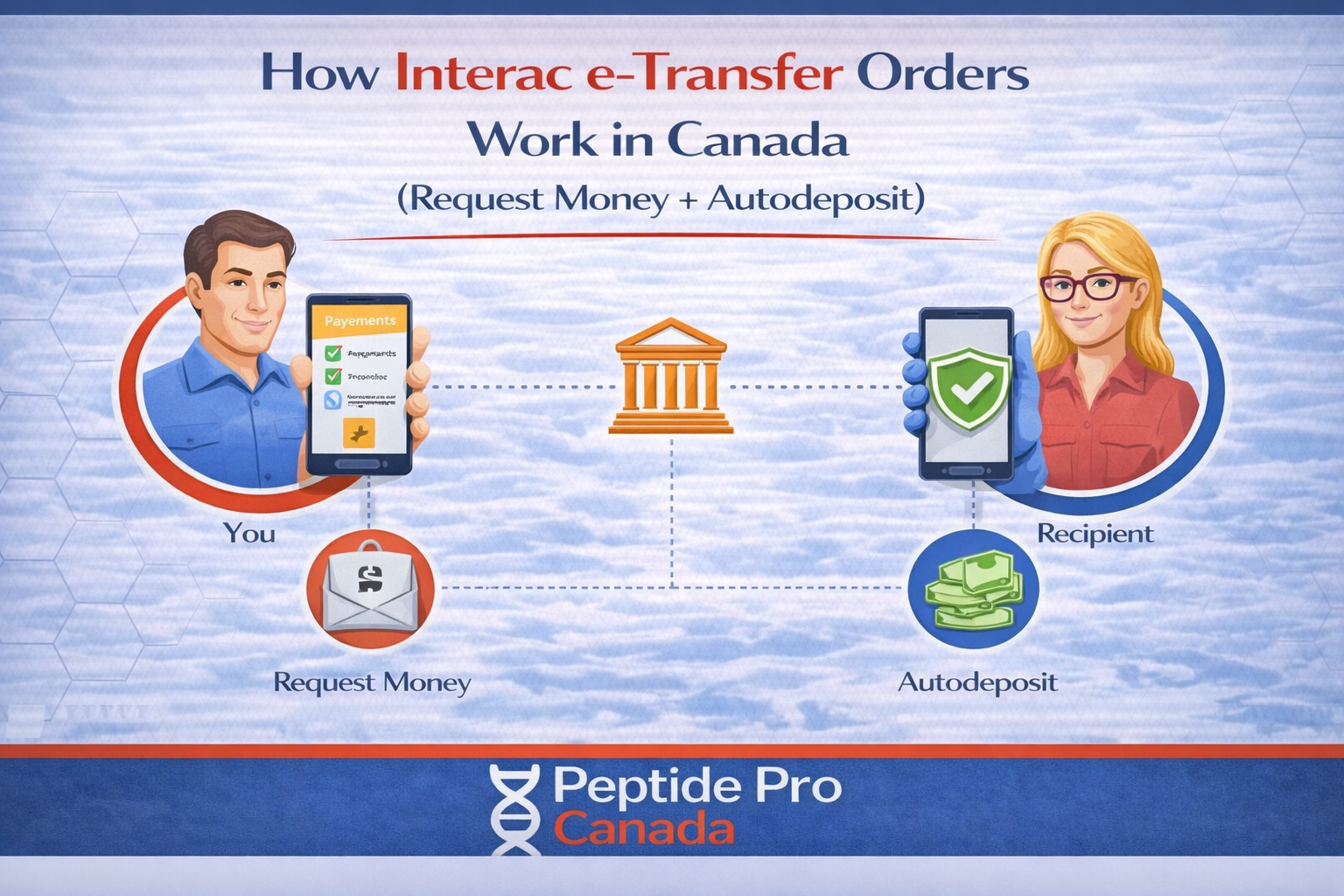
How Interac e-Transfer Orders Work in Canada (Request Money + Autodeposit)
Interac e-Transfer orders provide a convenient way for Canadian customers to pay directly through their financial institution. When you select Interac e-Transfer during checkout, you receive a 5% discount and an Interac Request Money notification after placing your order.
This guide explains the complete payment process, how long requests normally take, what to do if a request does not arrive, and why an unpaid order may be cancelled.
Interac e-Transfer Orders: Quick Answer
- Select Interac e-Transfer during checkout to receive the available 5% discount.
- After checkout, an Interac Request Money notification will be sent to the email address or mobile number associated with your order.
- Requests are processed between 7:00 a.m. and 9:00 p.m. Eastern Time and are typically sent within approximately 15 minutes.
- Orders placed overnight receive their payment request the following morning.
- Unpaid orders are automatically cancelled after 72 hours.
How Interac e-Transfer Orders Work
1. Select Interac e-Transfer at checkout
Choose Interac e-Transfer as your payment method when completing checkout. The applicable 5% discount will be reflected in your order total. Review your contact information carefully before submitting the order because the payment notification will be sent using the email address or mobile number provided.
2. Save your order number
After checkout, the website will create your order and display an order number. You should also receive an order confirmation by email. Keep the order number available in case you need assistance with the payment request.
Creating an order does not mean that payment has been completed. The order will remain unpaid until you approve the Interac Request Money notification through your financial institution.
3. Wait for the Interac Request Money notification
Payment requests are processed daily between 7:00 a.m. and 9:00 p.m. Eastern Time. During these hours, the request is normally sent within approximately 15 minutes, although occasional banking or network delays may occur.
If you place an order after 9:00 p.m., your request will be processed the following morning. You do not need to place another order simply because the notification did not arrive overnight.
4. Review the request before approving it
When the notification arrives, confirm that you recently placed an order and that the requested amount matches your checkout total. Only approve a Request Money notification that you were expecting.
If the sender, amount, or timing appears unfamiliar, do not approve the request until you have confirmed it with support. Interac also recommends verifying unexpected notifications through a trusted communication channel. Read the official Interac payment security guidance for additional information.
5. Complete payment through your bank
Open the notification and follow the link to your bank or credit union. Sign in through your financial institution’s secure website or mobile application, review the details, and approve the payment.
Never provide your online banking password, security answers, or complete banking information by email, text message, or through a support form. Neither Interac nor our support team requires your banking password to process an order.
6. Your order is updated after payment
Once the payment is received and matched to your order, the order can move to the next processing stage. Payment confirmation is often quick, but updates may occasionally take longer because of bank processing or network delays.
Request Money Versus Sending Payment Manually
Please follow the Interac Request Money notification connected to your order unless support instructs you otherwise. Sending a separate manual transfer can make it more difficult to match the payment with the correct order and may delay processing.
Do not approve the request twice or send a second payment if your banking application already shows the first payment as completed.
Why There May Be No Security Question
Our receiving account uses Autodeposit. This means funds can be deposited without the traditional security-question process. Not seeing a security question does not necessarily indicate a problem.
You should still review the recipient and payment amount carefully before approving any transaction.
What to Do If the Request Does Not Arrive
If you have not received your Interac e-Transfer request, check the following before placing another order:
- Check your spam, junk, promotions, and filtered-message folders.
- Search your inbox for “Interac,” “Request Money,” or “e-Transfer.”
- Confirm that the email address or mobile number entered at checkout is correct.
- Confirm that the order was placed during the 7:00 a.m. to 9:00 p.m. ET processing window.
- If the order was placed overnight, wait until the following morning.
- Allow for occasional bank or Interac network delays.
If the request still has not arrived, contact support instead of creating a duplicate order.
What to Include When Contacting Support
To help us locate the order and payment request quickly, include:
- Your order number
- The email address or mobile number used during checkout
- The approximate date and time the order was placed
- Whether you checked your spam and junk folders
- A screenshot of the error, if applicable, with sensitive banking information removed
Do not send passwords, security answers, debit card numbers, bank account numbers, or other private banking credentials. See our guide to contacting support faster for more information.
Unpaid Orders Are Cancelled After 72 Hours
An unpaid order will remain pending for up to 72 hours. If payment is not completed within that period, the order will be cancelled automatically.
If you still want the products after cancellation, you may place a new order. However, inventory availability and pricing cannot be guaranteed once the original order has been cancelled.
Interac e-Transfer Payment Safety
- Only approve a payment request connected to an order you recently placed.
- Confirm that the amount matches your order total.
- Access online banking through your bank’s official application or website.
- Do not share banking passwords or security answers with anyone.
- Contact your financial institution immediately if you believe a notification is fraudulent.
Frequently Asked Questions
Do Interac e-Transfer orders receive a discount?
Yes. Selecting Interac e-Transfer during checkout provides a 5% discount on the order.
How quickly will I receive the Request Money notification?
Requests are generally sent within approximately 15 minutes between 7:00 a.m. and 9:00 p.m. Eastern Time. Bank and network delays can occasionally affect delivery.
What happens if I order overnight?
Orders placed after the daily processing window will receive their payment request the following morning.
Why was I not asked a security question?
Our receiving account uses Autodeposit, so a security question is generally not required.
Why was my order cancelled?
Orders that remain unpaid for 72 hours are cancelled automatically. If you still wish to purchase the products, place a new order based on current availability.
My bank shows payment completed, but my order is still pending. What should I do?
Allow a short period for the payment and order systems to update. If the order remains pending, contact support with your order number, payment time, and a screenshot with all sensitive banking information removed.
Need Help With an Interac e-Transfer Order?
If your request has not arrived or your completed payment has not been matched, contact support with your order number, checkout contact information, and the approximate time the order was placed. Never include passwords or private banking credentials.