
How to Contact Support Faster (What to Include in Your Message)
Contact customer support with complete and accurate information in your first message to reduce delays and unnecessary back-and-forth. The details required depend on whether your question concerns shipping, payment, damaged packaging, a missing item, or product documentation.
This guide explains what to provide so the support team can locate your order, understand the issue, and determine the appropriate next step.
How to Contact Customer Support Faster
Always begin with your order number and the email address used at checkout. Without this information, support may be unable to identify the correct order—especially when a customer has placed multiple orders.
Include:
- Your full name
- Order number
- Email address used at checkout
- Tracking number, if the order has shipped
- A short description of the issue
- The resolution or information you are requesting
- Clear photographs when relevant
Customer Support Message Template
Copy and complete this format:
- Name:
- Order number:
- Email used at checkout:
- Tracking number:
- Issue type: shipping / delivered but not located / damaged package / missing item / payment / documentation / other
- Description:
- Latest tracking update:
- Requested assistance:
- Photographs attached: yes / no / not applicable
Provide only the information relevant to the issue. Do not send payment-card numbers, banking passwords, account passwords, or other unnecessary sensitive information.
What to Include for a Delayed Shipment
If tracking has stopped updating or the estimated delivery date has passed, provide:
- Order number
- Tracking number
- Latest tracking message
- Date, time, and location of the latest scan
- Complete shipping address entered at checkout
- Any address-correction or carrier-exception message
Before contacting support, review the carrier’s official tracking page:
For additional steps, read what to do if your package is delayed in Canada.
What to Include When Tracking Says Delivered
Before reporting a delivered package as missing, check:
- Mailbox or community mailbox
- Front, side, and rear entrances
- Garage or other safe-drop locations
- Concierge, reception, or mailroom
- Household members
- Neighbours who may have accepted it
- Carrier delivery notes or photographs
If the package cannot be located, send:
- Order and tracking numbers
- Complete delivery address
- The carrier’s delivery date and time
- Any carrier delivery notes
- A list of the locations already checked
What to Include for a Damaged Package
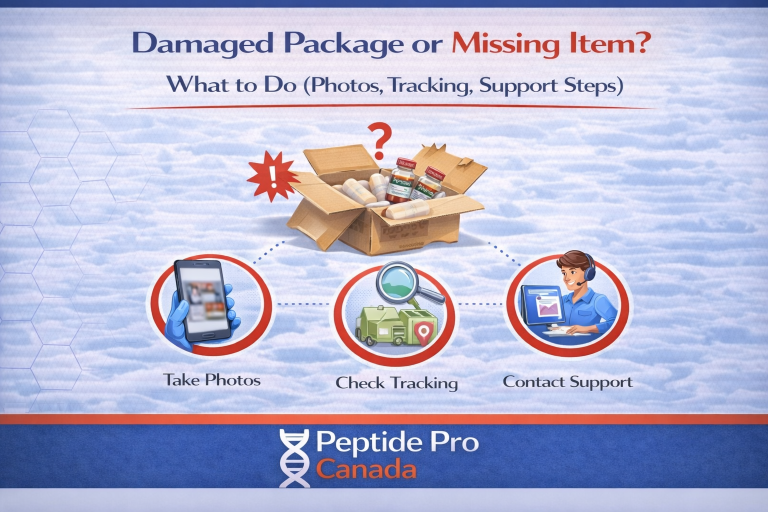
Do not discard the package, label, internal packaging, or damaged contents before the issue has been reviewed.
Take clear, well-lit photographs of:
- Every side of the outer package
- The complete shipping label
- The internal packaging
- All items received arranged together
- Wide and close-up views of the damage
- Any torn, crushed, punctured, wet, opened, or re-taped area
Include the order number, tracking number, delivery date, and a short description of how the package appeared when received.
Review our guide about damaged packages and missing items.
What to Include for a Missing Item
Check all packing materials before reporting an item as missing. Small items may remain inside protective wrapping or between packing materials.
Send:
- Order number
- The exact product name and quantity believed to be missing
- A photograph of everything received arranged together
- A photograph of the outer package and shipping label
- A photograph of the internal packaging
- Confirmation that all packing materials were checked
What to Include for a Payment Question
For an Interac e-Transfer or checkout-payment question, provide:
- Order number
- Email address used at checkout
- Payment method selected
- Date and approximate time of the payment or attempted payment
- Payment status shown on the order
- A screenshot of any error message, with sensitive financial information hidden
Do not send:
- Full credit-card numbers
- Card security codes
- Online banking passwords
- Interac security answers
- Unredacted bank-account information
If you selected Interac e-Transfer, check your inbox and spam or junk folder for the applicable payment request or instructions. Read how Interac e-Transfer orders work for more information.
What to Include for a Documentation Question
If your question concerns a Certificate of Analysis or batch documentation, send:
- Order number
- Product name and labelled strength
- Lot or batch number shown on the vial
- A clear photograph of the complete label
- The report number or link being reviewed
- A specific description of the mismatch or missing information
Before contacting support, check the relevant product page and our Certificates of Analysis page.
How to Photograph a Product or Package Clearly
Useful photographs should:
- Be taken in good lighting
- Be in focus
- Show the entire item before close-up images
- Show labels and batch numbers clearly
- Avoid filters, markup, or excessive cropping
- Include multiple angles when the issue is not visible from one side
A blurry close-up without context may not provide enough information. Include one wider photograph showing the complete item and separate close-ups of the relevant detail.
What Slows Down a Support Review?
- No order number
- No tracking number for a shipping question
- A vague message such as “Where is it?”
- Blurry or incomplete photographs
- Discarding packaging before documenting damage
- Sending several separate messages with different information
- Changing the description of the issue between messages
- Contacting multiple support channels about the same issue
- Sending unnecessary sensitive financial information
Keep all details in one message thread whenever possible. This allows the support team to review the complete history without combining information from several conversations.
Questions Support Cannot Answer
PeptidePro Canada products are supplied exclusively as laboratory research materials. Support cannot provide:
- Personal-use product recommendations
- Dosing or cycle information
- Mixing or reconstitution ratios
- Injection or administration instructions
- Medical advice
- Guidance intended to produce a physiological outcome
Messages requesting human-use guidance will be declined. Products are not intended for human or veterinary use, consumption, injection, diagnosis, treatment, or any clinical application.
Frequently Asked Questions
Why does support need my shipping address again?
Confirming the address entered at checkout helps identify postal-code errors, missing unit numbers, and differences between the order and carrier records.
Why are photographs of the package required?
Photographs document the package’s condition, label, internal packing, and received contents. They may also be required for a carrier investigation.
Does submitting photographs guarantee a replacement?
No. Photographs allow the issue to be reviewed, but every report is assessed according to its circumstances and the applicable policies.
How quickly will support respond?
Response times vary with message volume and the complexity of the issue. Complete messages are generally easier to review because fewer follow-up questions are required.
Should I send the same message through email and WhatsApp?
No. Use one support channel and keep the information in one thread unless support asks you to move the conversation elsewhere.
Final Support Checklist
Before sending your message, confirm that it includes:
- Your name and order number
- The email address used at checkout
- Your tracking number, when applicable
- A clear description of the issue
- Relevant dates, statuses, and carrier messages
- Clear photographs, when applicable
- The specific assistance you are requesting
When you contact customer support with complete information in the first message, the team can identify the order and begin reviewing the issue without avoidable delays.